
Creating a field in Salesforce orgs is easy, but bulk field creation is not! Admins must perform this operation separately for each field. If you have been in this situation, you must be familiar with the complexities linked with creating fields in bulk in your Salesforce org. The problem becomes severe when you’re supposed to create dozens or even hundreds of fields across your orgs.
Creating bulk fields manually is a multi-step and time-consuming process. What if you could create numerous Salesforce fields across your org in one go? Sounds interesting- right? migSO’s latest CRUD Field feature is built exactly for that. Let’s go through the detailed steps of bulk field creation in Salesforce using migSO.
How to Perform Bulk Field Creation in Salesforce using migSO?
Here are the detailed steps associated with Bulk Field Creation in Salesforce using migSO-
Step 01: Open migSO via App Launcher.
Click “App Launcher” and Search & Select migSO.
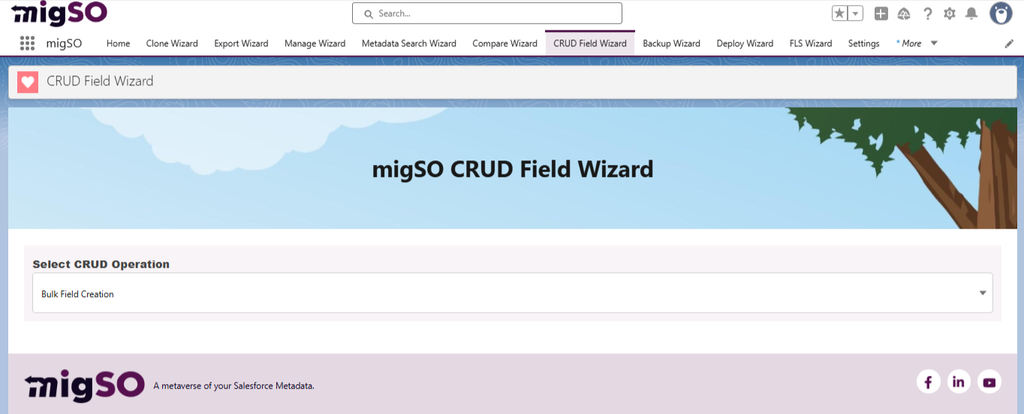
Step 02: Select CRUD Field Wizard.
Now click the migSO “CRUD Field Wizard” tab.
Step 03: Select Bulk Field Creation.
Select Bulk Field Creation from the given options.
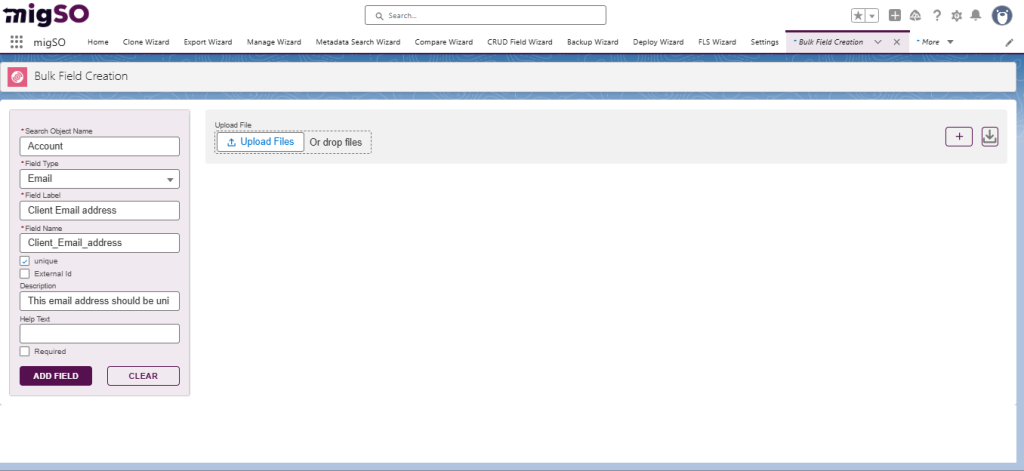
Step 04: Enter Object Name.
Enter the object name to add the relevant fields.
Step 05: Specify the Field Type.
Next, specify the field type to create new fields.
Step 06: Enter the Field Label.
Enter the field label for the new fields you’re adding to your org.
Step 07: Click on Add Field.
After adding the necessary details, click Add Field button.
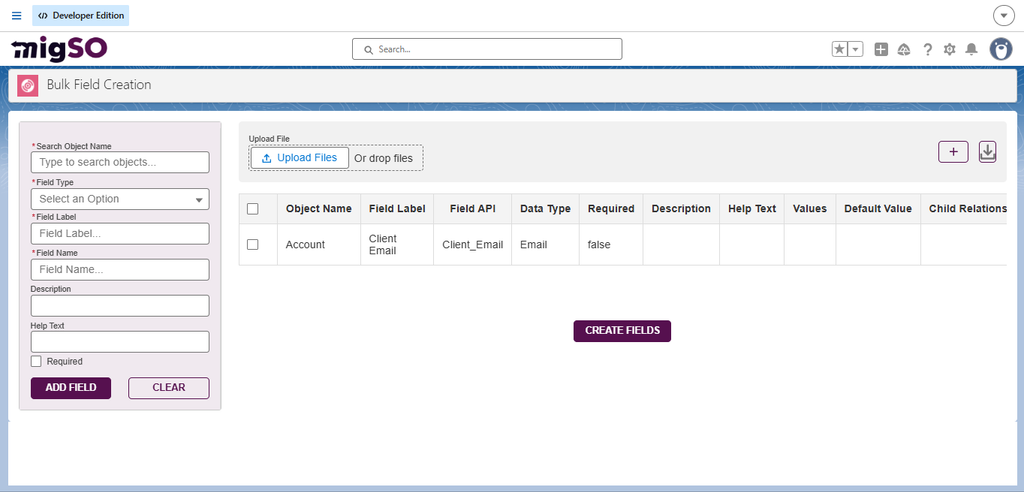
Step 08: Review the Field Creation Dialog box & click Create Fields button.
Carefully review the field creation dialog box and click Create Fields button.
Step 09: Review the success modal and click Next.
Review the success modal for adding new fields and click Next.
Step 10: Set Fields Permission
Set Field Permissions and click the Deploy Permission Button.
Step 11: Click Restart the BFC Wizard.
Finally, click the Restart the BFC Wizard button to add more fields.
Simplify Bulk Field Creation with migSO’s BFC Wizard
Bulk Field Creation has become faster and smarter with migSO’s BFC Wizard. This feature lets admins skip manual field creation and save significant time and effort. All you need to do is follow these simple steps, and you’ll be good to go. Get ready to revolutionize bulk field management with migSO!
Who Are We?
Tech9logy Creators is a Registered Salesforce ISV Partner & Consulting Company with over 12 years of experience. We have a certified team of developers with extensive knowledge of Salesforce AppExchange and provide you with the best-in-class personalized apps. Our dedicated Salesforce experts help you bring the best out of your CRM and ensure your business operates at its highest potential.
Contact us for more information.

Recent Post



migSO Guide