Admins often need to Clone Salesforce Profiles across your orgs, as it helps save setup time, maintain security consistency, and support new org migrations.
However, there is always a probability of human error and org inconsistencies in the manual approach that can impact your productivity. This guide will introduce you to a smarter, seamless way to clone Salesforce Profiles across orgs.
Problems with the Manual Recreation of Salesforce Profiles & the Solution
Bulk Clone Profiles in Salesforce across orgs manually can be problematic, especially when dealing with complex permissions and multiple profiles. Admins often need to recreate profile settings, object permissions, field-level security, user permissions, and other access configurations one by one, making the process time-consuming and error-prone. Even a small negligence in this matter can lead to access issues, security gaps, or inconsistencies between Salesforce orgs.
migSO is the ultimate solution when it comes to Salesforce Profile cloning. It empowers admins to bypass manual profile recreation and seamlessly clone Salesforce profiles along with relevant user permissions across different Salesforce orgs.
Detailed Steps to Bulk Clone Profiles in Salesforce using migSO
Here are the simple steps the admin needs to follow to bulk clone profiles in salesforce across their orgs-
Click “App Launcher,” then search for and select migSO.
Now, click the ” migSO Clone Wizard” tab.
Select the Metadata item to clone (e.g., Profiles).
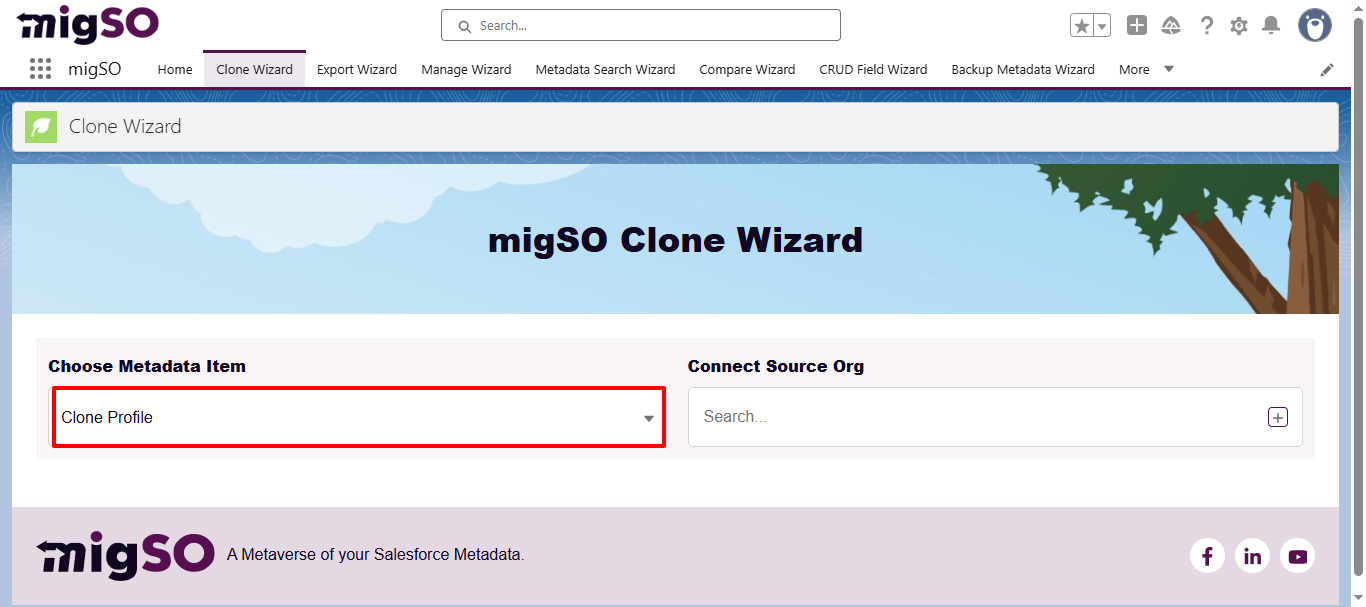
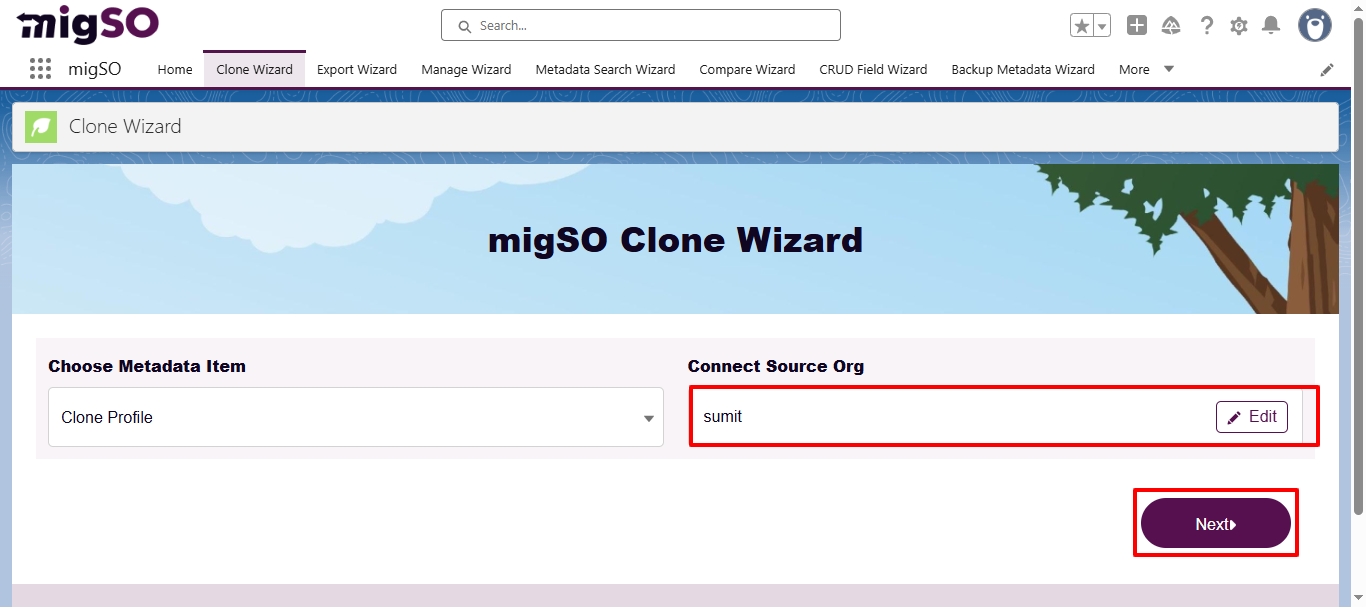
Select the source org or connect a new one. To add a new org, click on the ‘+’ icon, enter details like org name, user name, password, and security token, and click on the Save button.
After adding the org, click Next.
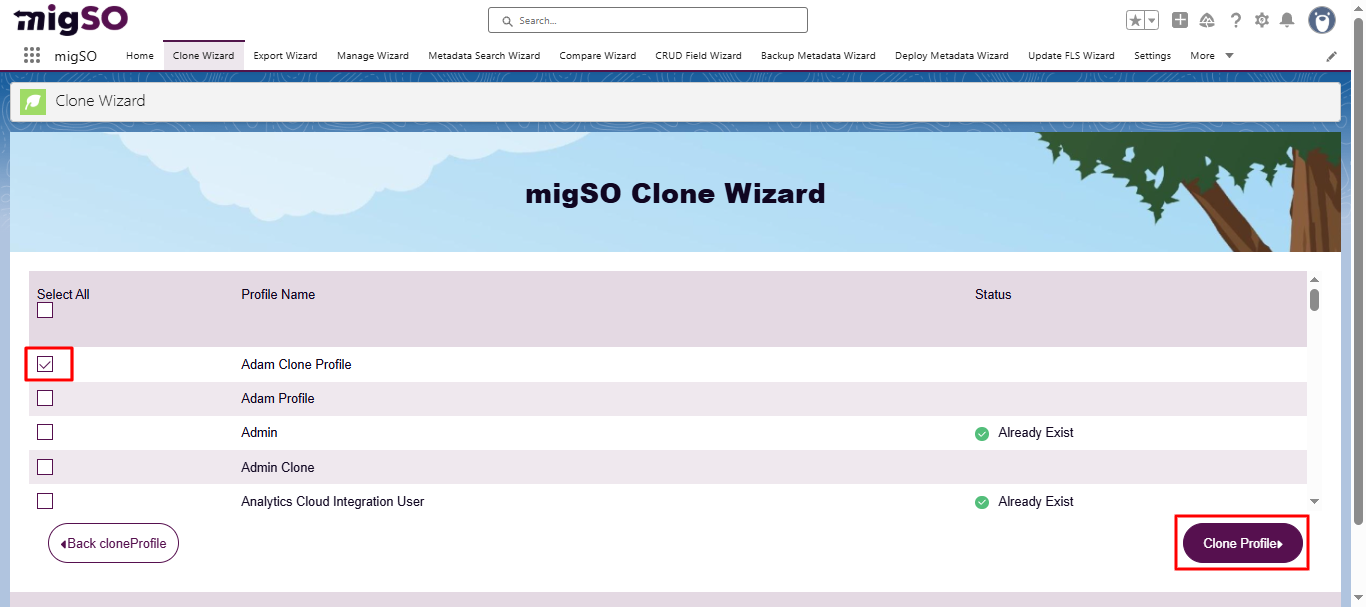
Select the specific profiles to clone or click Select All, then click Clone Profiles.
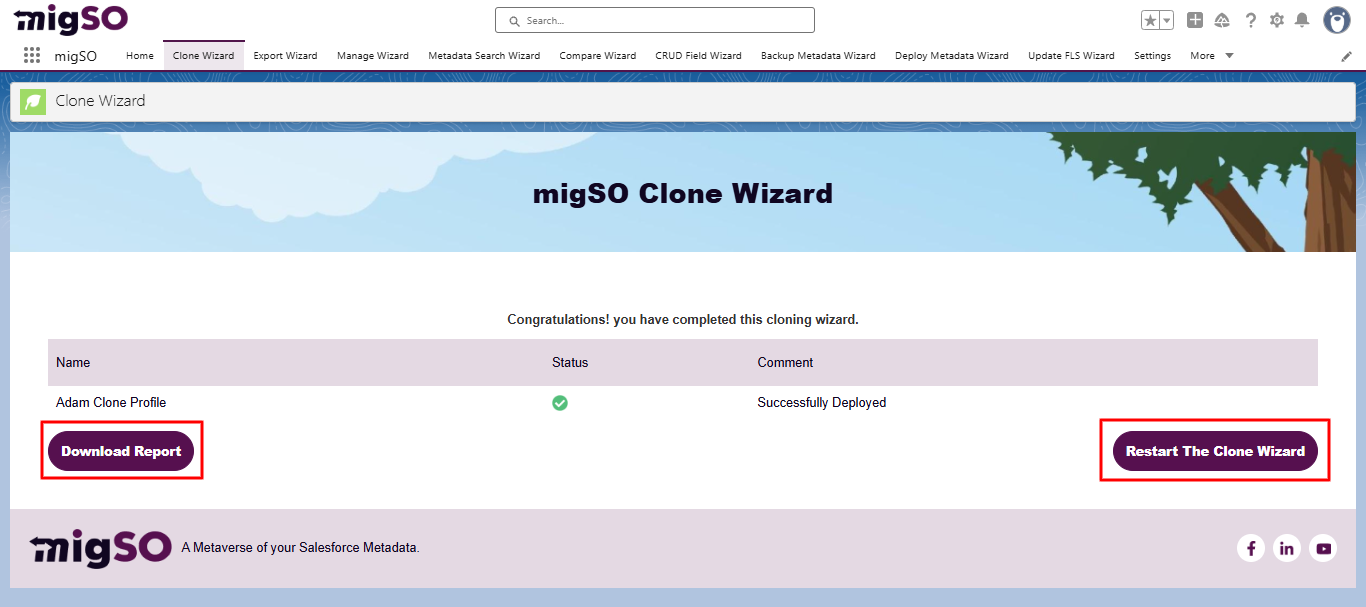
Review the deployment status and click Generate Report.
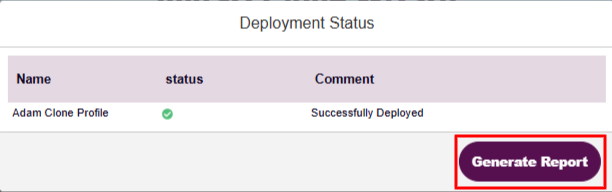
Review the deployment status, download the report, or restart the clone wizard.
Conclusion
Escalate the Salesforce Profile Cloning process with migSO!
With migSO, admins can turn the tedious default process into a quick, seamless one. Get ready to clone Salesforce objects along with relevant permissions, fields, relationships, page layouts, record types, validation rules, and flows.
Who Are We?
Tech9logy Creators is a Registered Salesforce ISV Partner Company with over 12 years of experience. We have a certified team of developers with extensive knowledge about Salesforce AppExchange and provide you with the best-in-class personalized apps. Our dedicated Salesforce experts help you bring the best out of your CRM and ensure your business operates at its highest potential.
Contact us for more information.

Recent Post
migSO Guide