Record Type in Salesforce empowers admins to classify records within a single object, allowing different business processes, picklist values, and page layouts to be displayed based on user profiles.
Admins often need to clone record types to efficiently create new, similar record types with tailored page layouts, picklist values, and business processes across distinct orgs without starting from scratch. It also helps admins align their configurations and eliminate inconsistency.
Problems with the Manual Recreation of Salesforce Record Types & the Solution
However, manually recreating Salesforce record types across orgs often leads to errors and inconsistencies. So, how do you ensure seamless cloning of Salesforce Record Types? migSO is an effective option!
With its latest Clone Record Type feature, migSO streamlines Salesforce Record Types cloning and empowers admins to migrate associated page layouts and picklist values, saving admins time and ensuring accuracy. Go through this comprehensive guide to discover the steps involved in Salesforce record type cloning across orgs.
Step-by-Step Guide to Clone Salesforce Record Types Using migSO
Click “App Launcher,” then search for and select migSO.
Now, click the “Clone Wizard” tab.
Select the Metadata item to clone (e.g., Record Types).
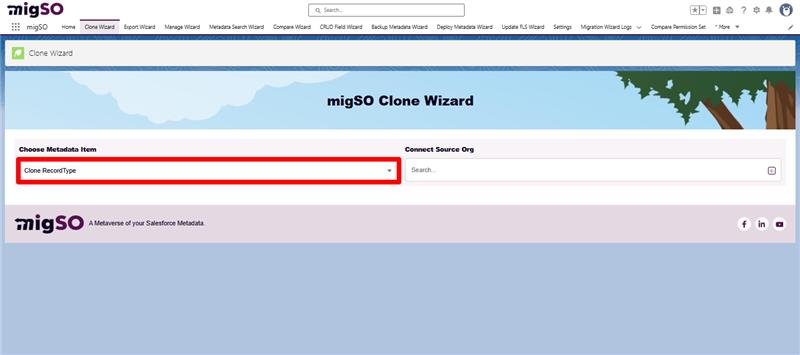
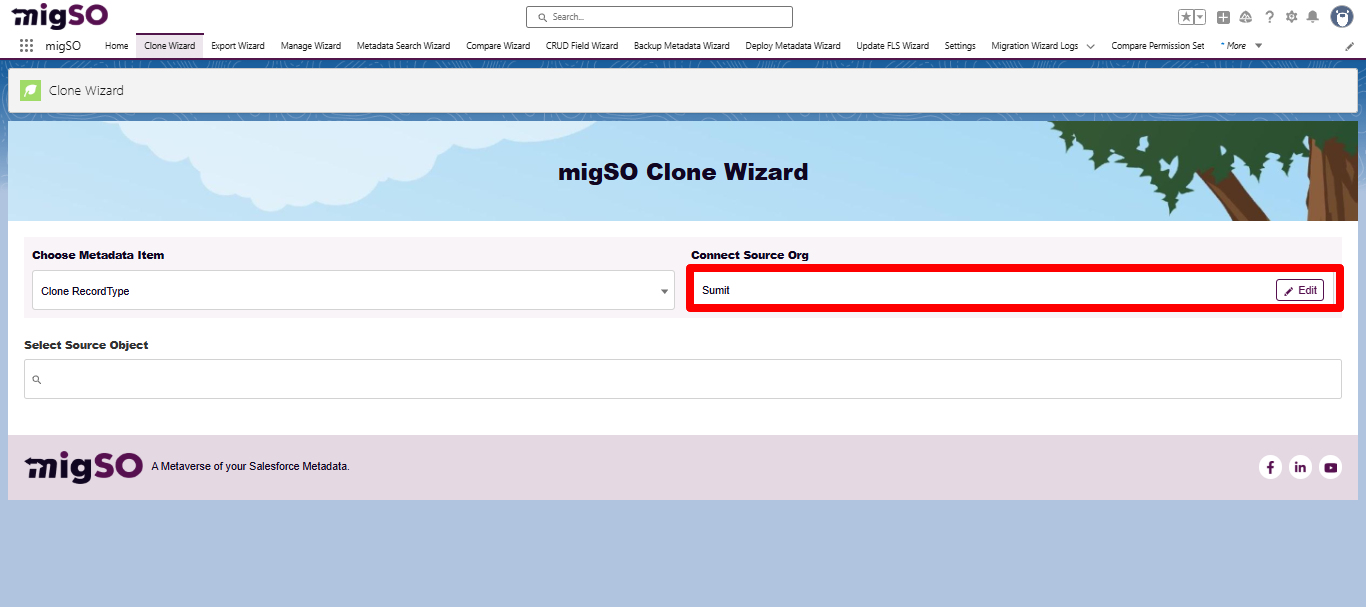
Select the source org or connect a new one. To add a new org, click on the ‘+’ icon, enter details like org name, user name, password, and security token, and click on the Save button.
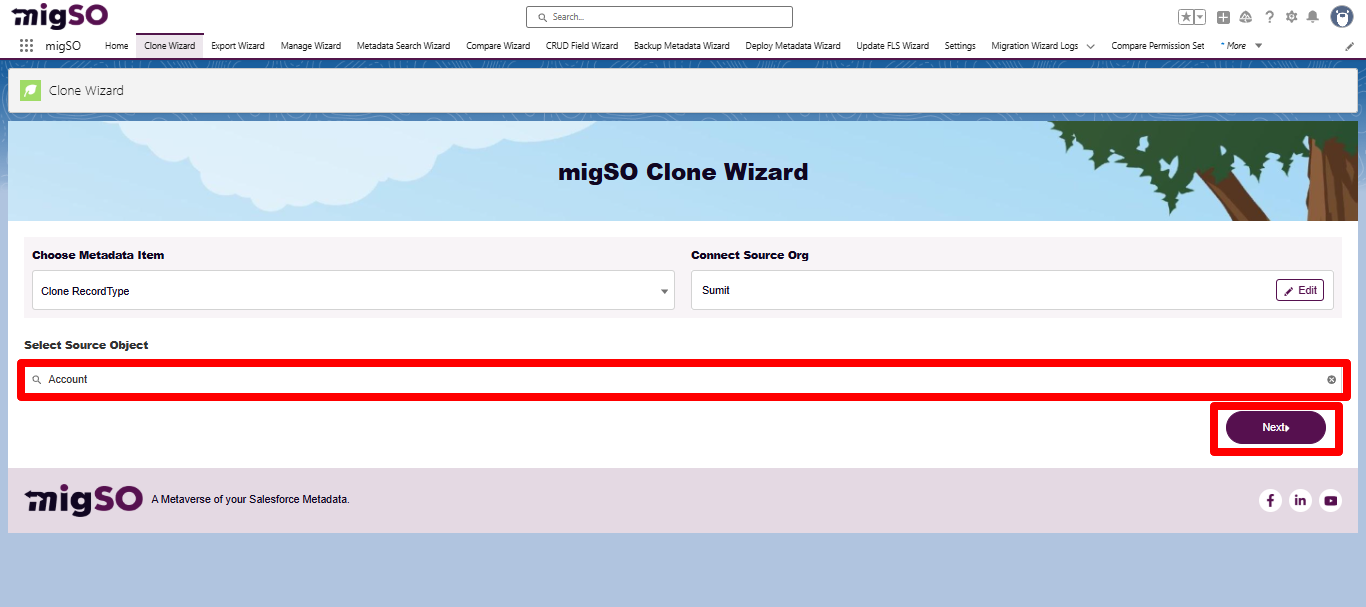
Next, choose the source object to select specific record types. After adding the source object, click on Next.
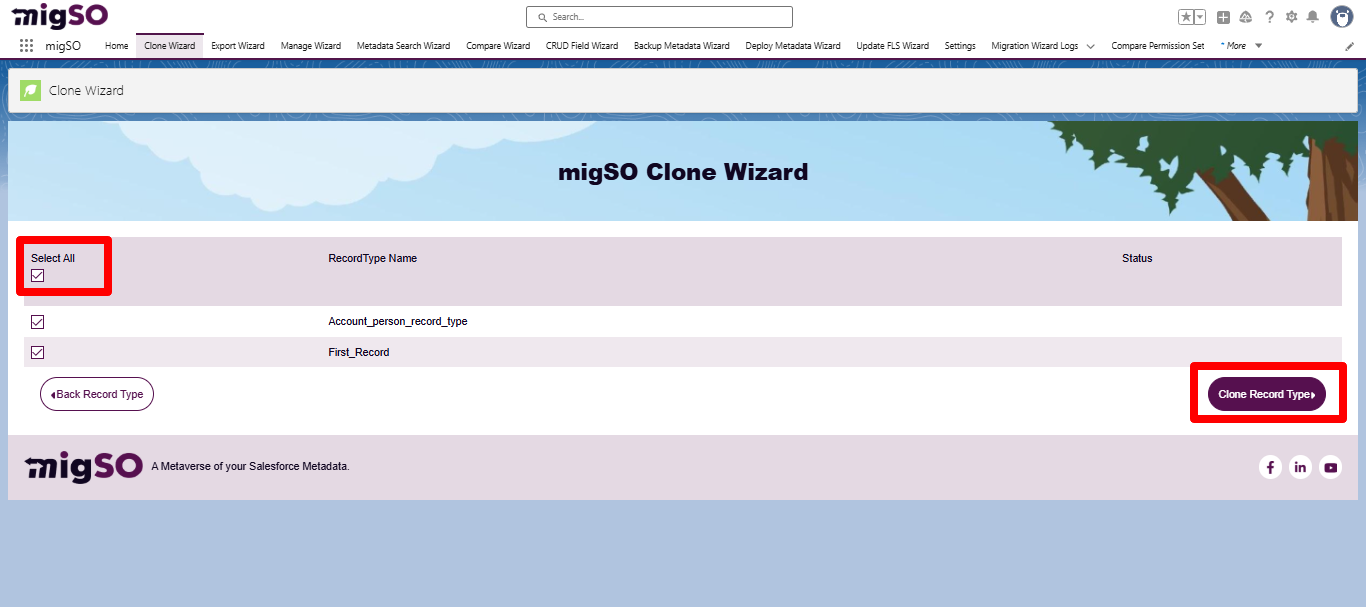
Select the record types to clone or click Select All, then click Clone RecordTypes.
Review the deployment status and click Generate Report.
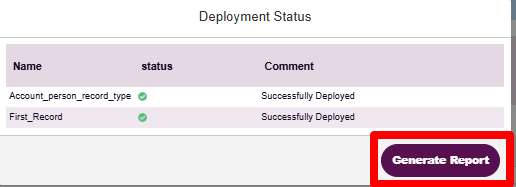
Review the deployment status, download the report, or restart the clone wizard.
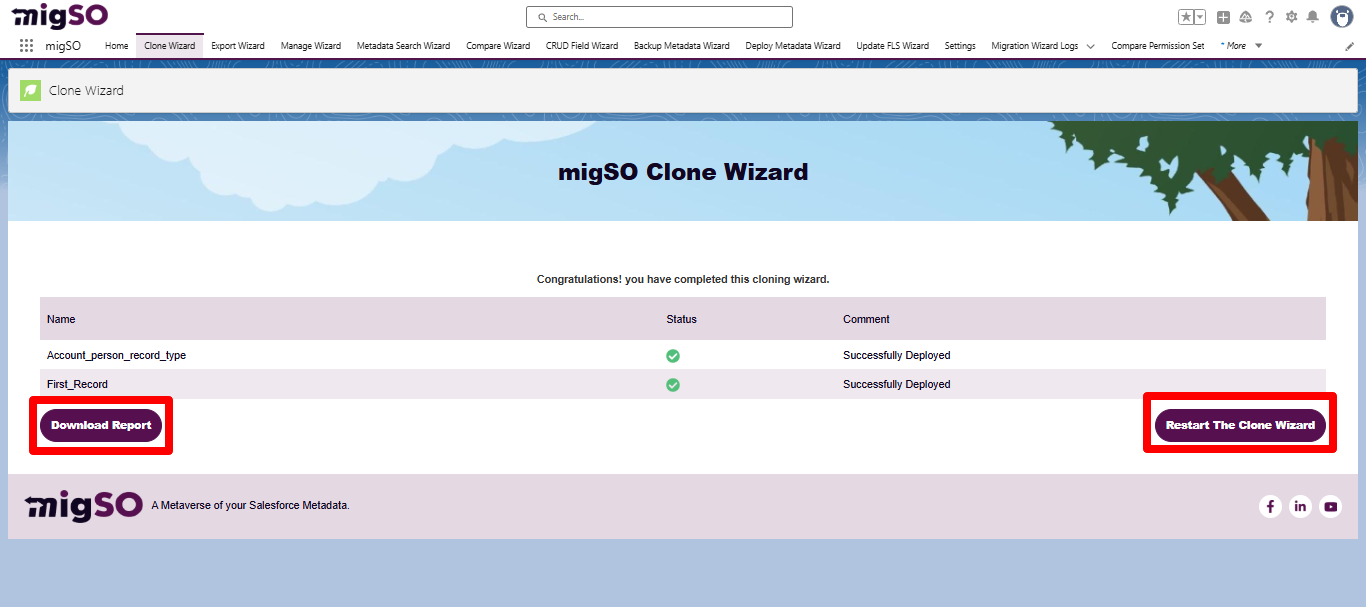
Woohoo! You have successfully executed the Clone Record Types process from one org to another.
Conclusion
Manually recreating record types across orgs can be a time-consuming and error-prone process for admins. With migSO, you can seamlessly clone salesforce record types across your orgs. migSO enables admins to effortlessly manage complex metadata operations and bring out the best in their CRMs.
Who Are We?
Tech9logy Creators is a Registered ISV Partner Company with over 12+ years of experience. We have a certified team of developers with extensive knowledge of the Salesforce AppExchange and provide you with the best-in-class, personalized apps. Our dedicated Salesforce experts help you bring the best out of your CRM and ensure your business operates at its highest potential.
Contact us for more information.

Recent Post



migSO Guide