Report type in Salesforce is a structure that defines the available objects and fields for a particular report, as well as the relationships among them. Admins are often required to clone Salesforce Report Types across orgs to safely reuse existing reporting structures without having to start from scratch. It empowers admins to save significant time.
Clone report types in Salesforce also helps admins align their configurations and eliminate inconsistencies. However, Salesforce does not provide a default option to perform this operation.
Problems with the Manual Recreation of Salesforce Report Types & the Solution
This is where admins resort to manually recreating Salesforce report types, which often leads to errors and inconsistencies. So, how do you ensure seamless cloning of Salesforce Report Types? This is where migSO comes into action!
With its latest Clone Salesforce Report Types feature, migSO streamlines Salesforce Report Type cloning and empowers admins to seamlessly migrate reports, including the same objects and fields, saving time and ensuring accuracy. Go through this comprehensive guide to discover the steps involved in Salesforce report type cloning across orgs.
Step-by-Step Guide to Clone Salesforce Report Types Using migSO
Click “App Launcher,” then search for “migSO”.
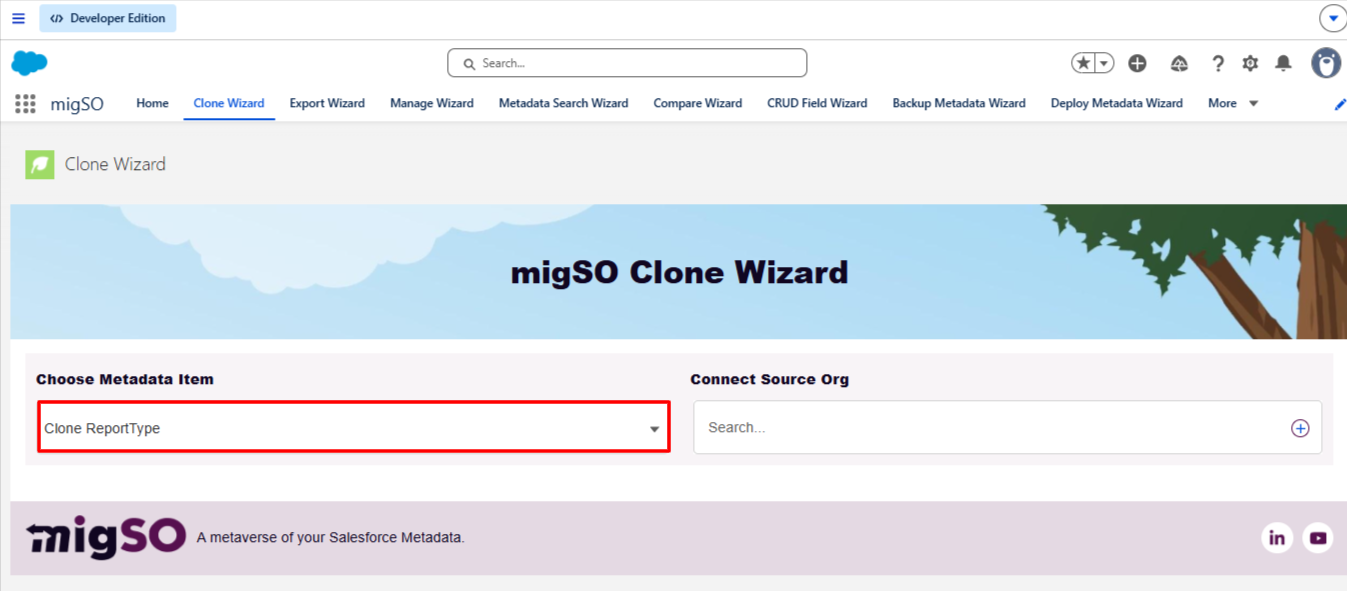
Now, click the ” migSO Clone Wizard” tab.
Select the Metadata item to clone (e.g., Report Types).
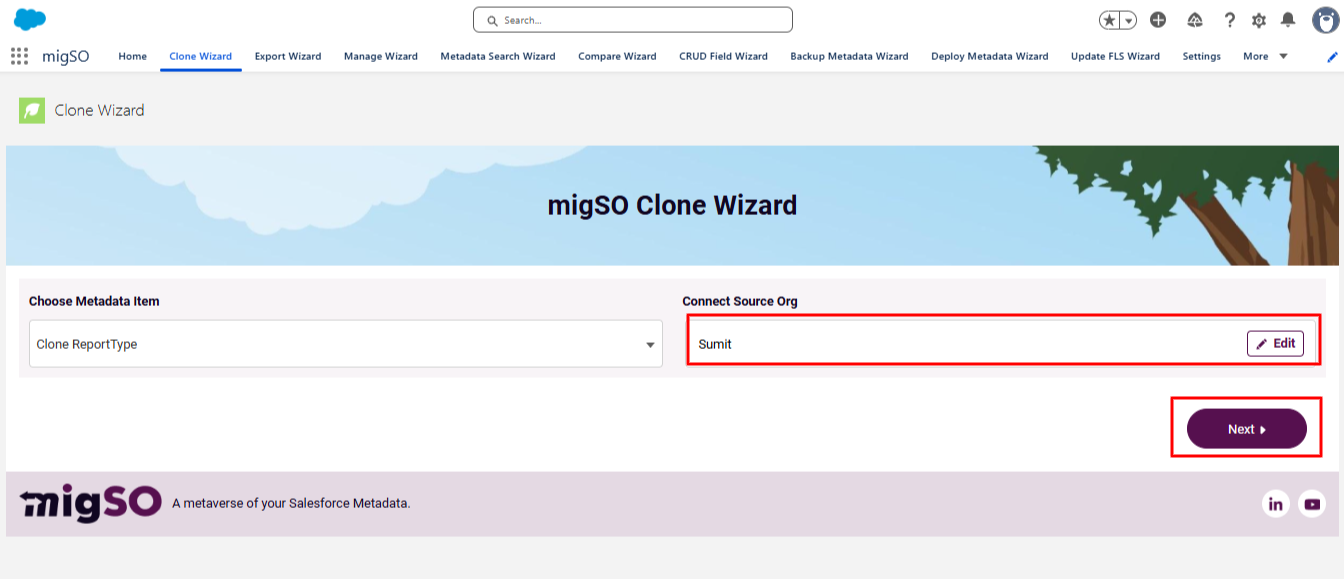
Select the source org or connect a new one. To add a new org, click on the ‘+’ icon, enter details like org name, user name, password, and security token, and click on the Save button.
After adding source org, click on Next.
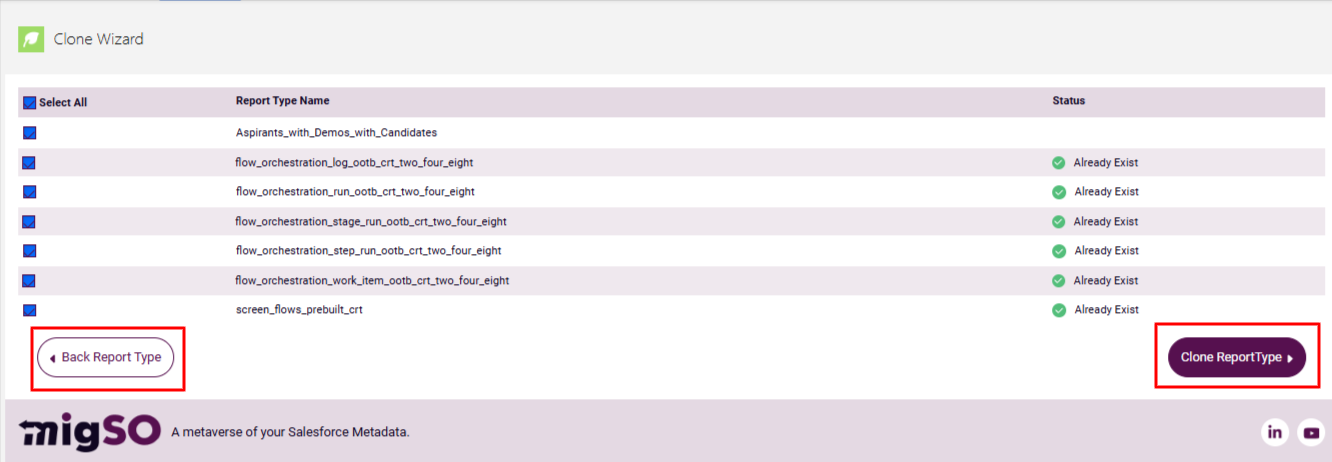
Select the report types to clone or click Select All, then click Clone ReportTypes.
Review the subsequent errors. If you would like to proceed with these errors, go to Skip & Continue to proceed. Otherwise, select No Cancel.
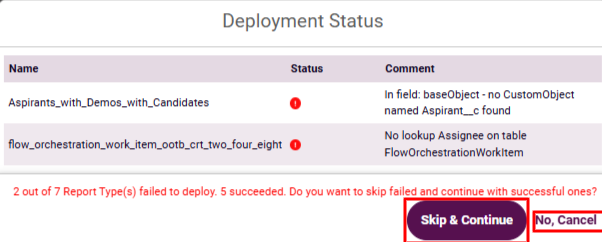
Review the deployment status, download the report, or restart the clone wizard.
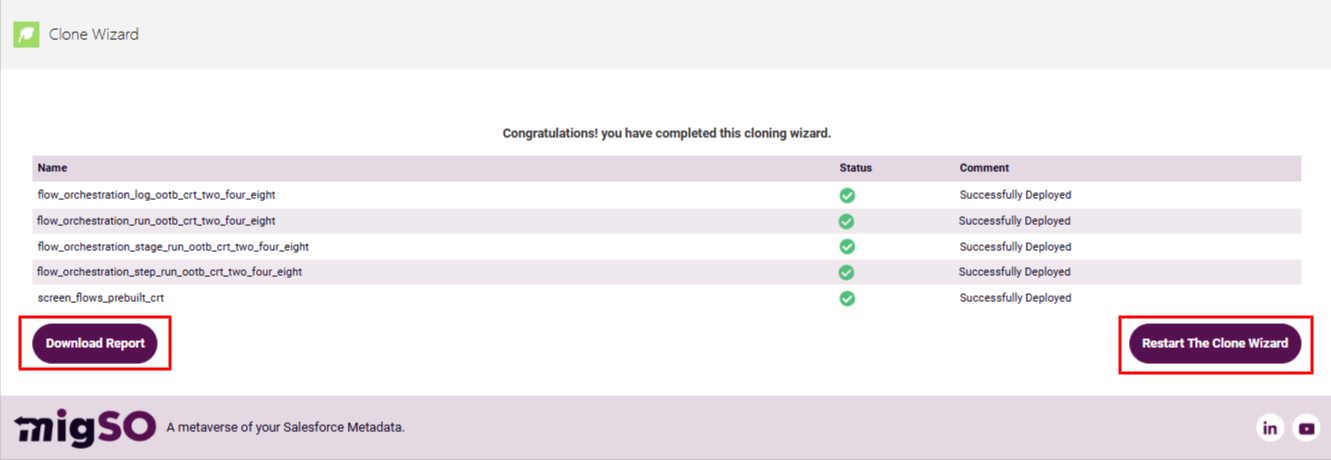
Woohoo! You have successfully executed the Clone Report Types process across your orgs.
Conclusion
Manually recreating report types across orgs can be a time-consuming and error-prone process for admins. With migSO, you can seamlessly clone salesforce report types across your orgs, that too within seconds. Get ready to speed up metadata management and bring the best out of your CRM with migSO!
Who Are We?
Tech9logy Creators is a Registered ISV Partner Company with over 12+ years of experience. We have a certified team of developers with extensive knowledge of the Salesforce AppExchange and provide you with the best-in-class, personalized apps. Our dedicated Salesforce experts help you bring the best out of your CRM and ensure your business operates at its highest potential.
Contact us for more information.

Recent Post
migSO Guide