Admins often need to export Salesforce Custom Settings from their orgs to create backups of critical configurations and for audit purposes.
This is where migSO steps in with its magical Export Wizard functionality. It empowers you to effortlessly export custom settings, eliminating manual effort and related complexities. Explore this guide to understand the detailed process of exporting Custom Settings with migSO!
Why Export Salesforce Custom Settings in Salesforce?
Exporting Salesforce Custom Settings helps admins back up critical configurations, maintain consistency across orgs, and simplify deployments. It saves time, reduces manual errors, and ensures that essential settings can be easily migrated, documented, or restored whenever needed.
Step-by-Step Guide to Export Custom Settings in Bulk Using migSO
Now, let’s get into the detailed process of exporting Custom Settings using migSO:
Click “App Launcher” and search for migSO.
Now click the migSO “Export Wizard” tab.
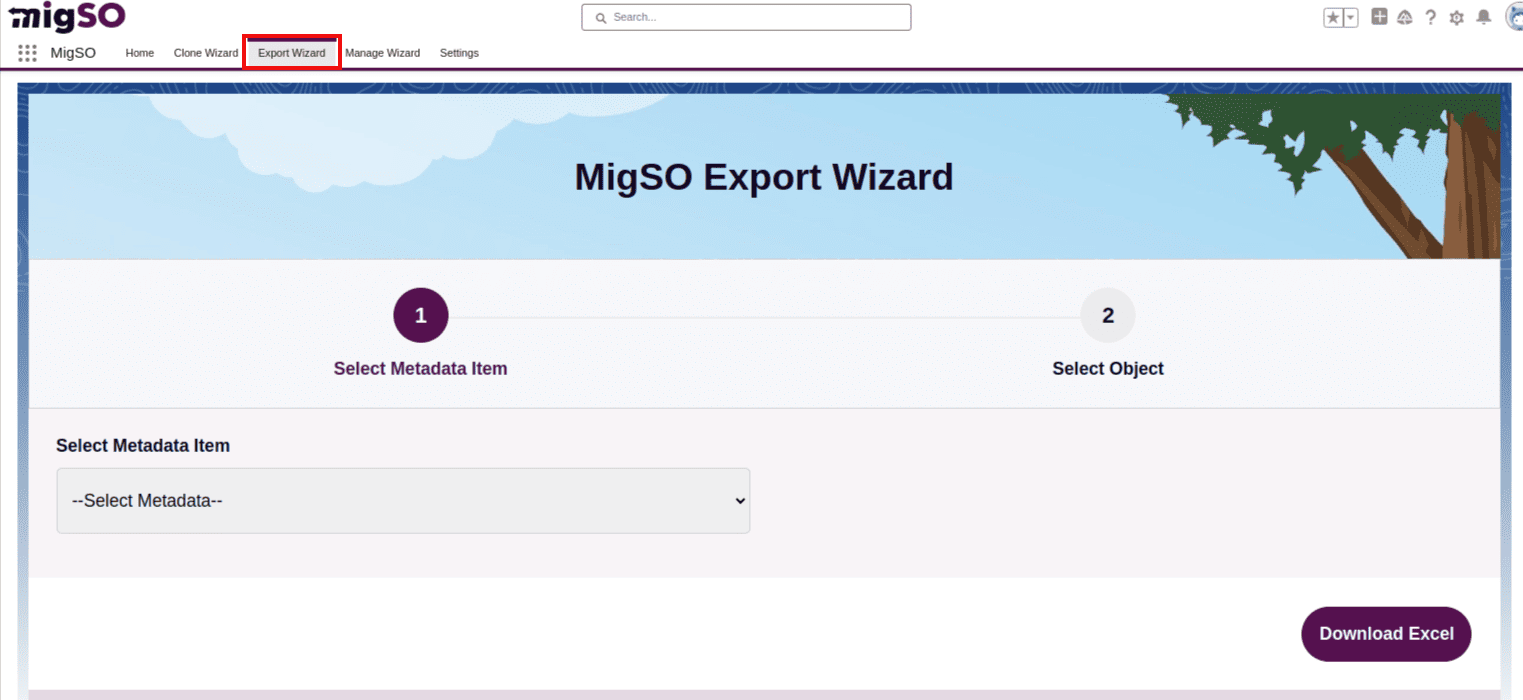
Select the Metadata item to export (e.g., Custom Setting).
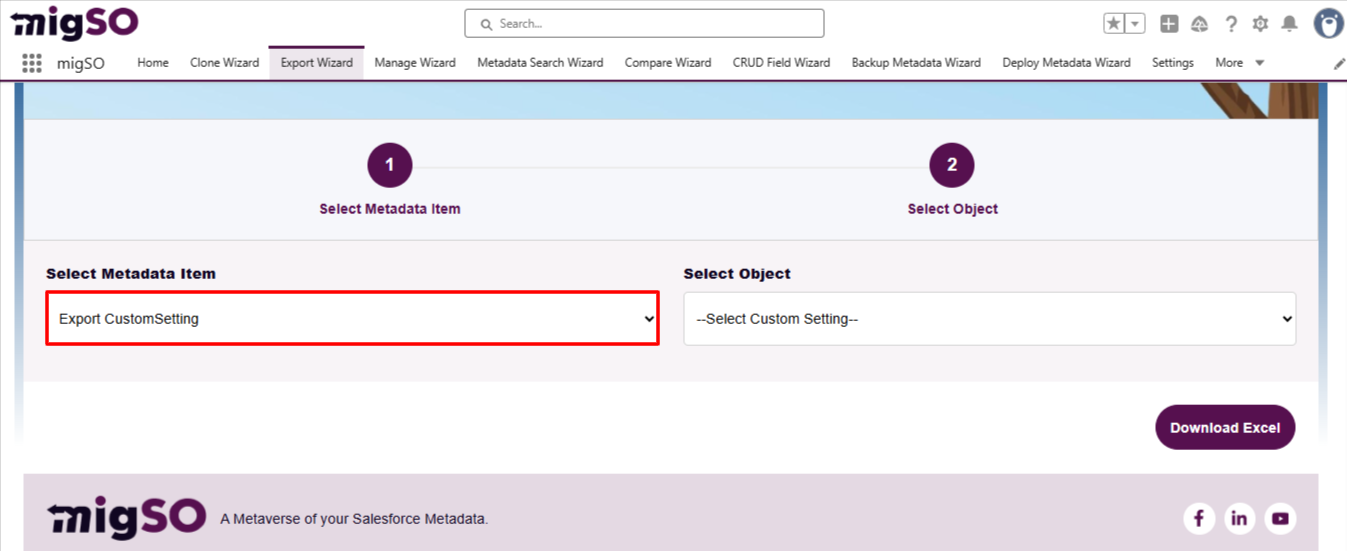
Choose the object to pull up custom settings to export.
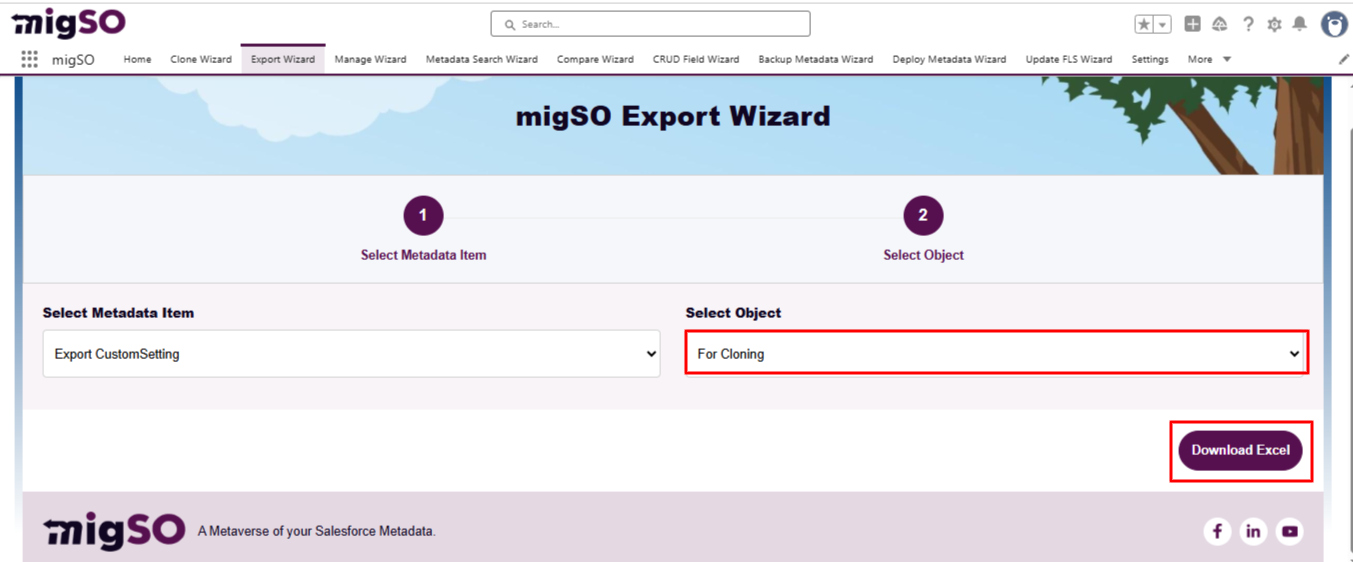
Next, click Download Excel to export the selected Custom Setting. This report provides detailed information on the exported Custom Setting to ensure that all automated processes are functioning as intended.
Conclusion
Bring the best out of your CRM metadata operations with migSO! It empowers admins to seamlessly export Salesforce Custom Settings from their org, simplifying deployments, backups, and configuration management.
Who are We?
Tech9logy Creators is a Registered Salesforce Consulting and ISV Partner Company with over 12 years of experience. We have a certified team of developers with extensive knowledge of Salesforce AppExchange who provide you with best-in-class, personalized apps. Our dedicated Salesforce experts help you bring the best out of your CRM and ensure your business operates at its highest potential.

Recent Post



migSO Guide